Connections And Data Ports
Preparation
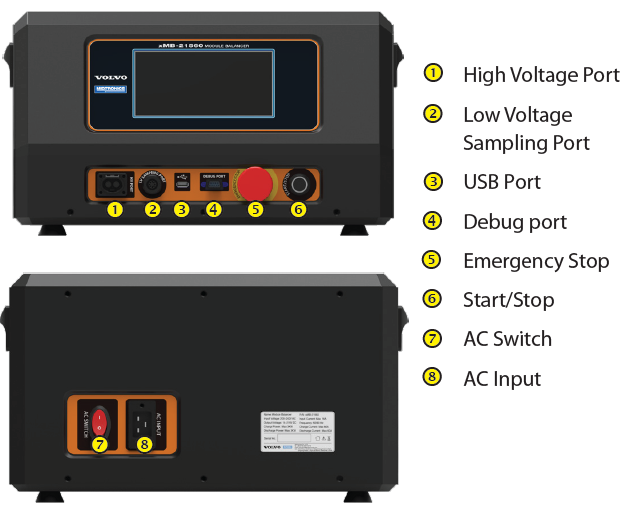
Connect the AC power cable to the back of the equipment and turn on the power switch.
Before startup, please confirm the emergency stop button is in the reset state; otherwise, the equipment can’t start normally.
Press the emergency stop button can immediately cut off the AC power supply. After the fault is resolved, rotate this button clockwise by approximately 45° and then release it to reset.
Danger
- All operations must be completed by personnel with qualifications for high-voltage operations. Make sure the equipment is grounded to ensure safety.
- Wear personal safety protection equipment such as insulating gloves and goggles.
- If there is a fire around, immediately press the emergency stop button and cut off the input power supply, and use a dry powder fire extinguisher to put out the fire. Using liquid type may cause electric shock.
Initial Setup
Input the dealer information when first startup, you can also edit this information in system settings.